The best wireless mice depend on where you use them, how you connect, and whether comfort, portability, or gaming controls matter most. These picks span travel-ready designs, multi-device office mice, adjustable ergonomic shapes, and gaming models, with practical tradeoffs to check before choosing.
Quick Top Products
JLab GO Charge Wireless Mouse
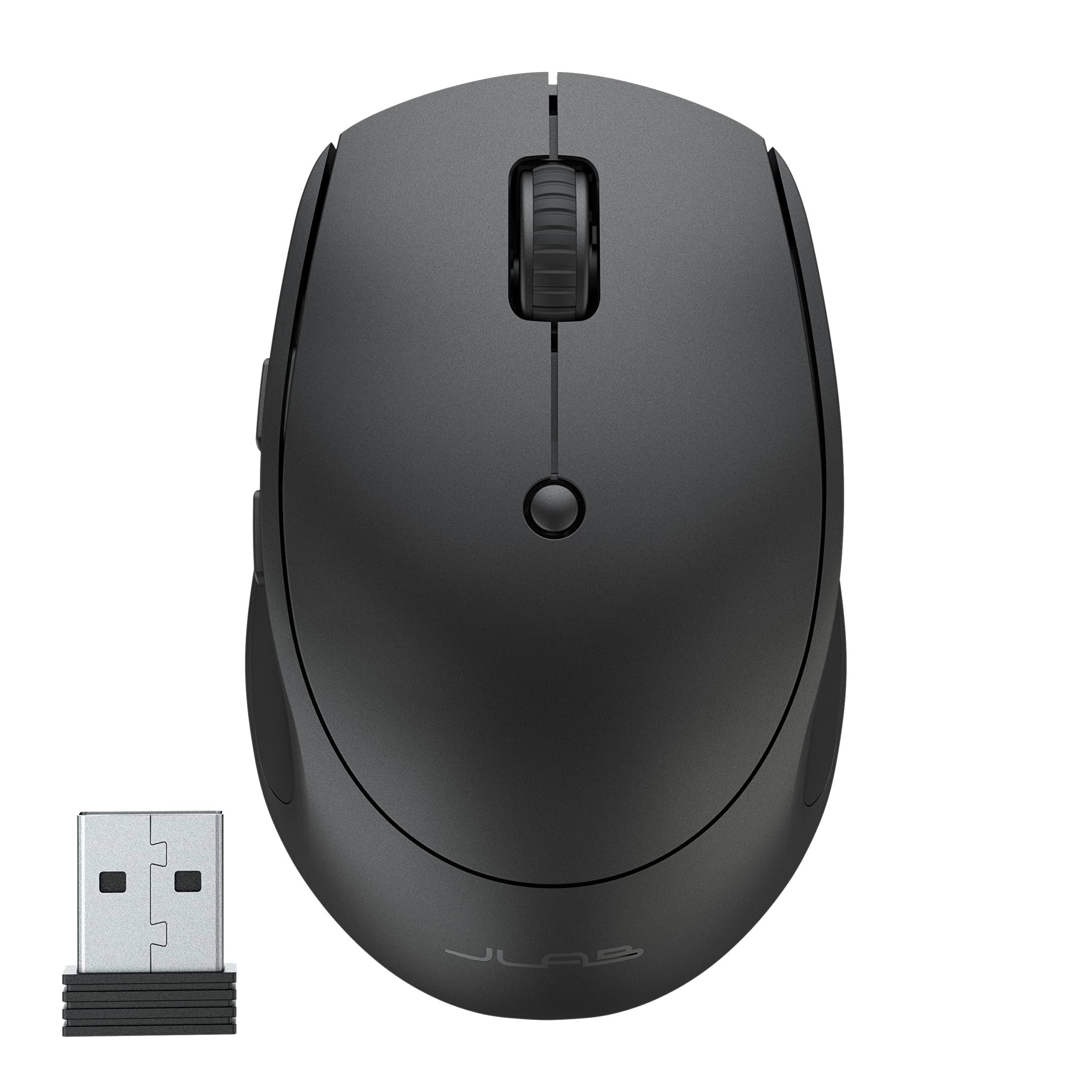
- Pairs with up to three devices through Bluetooth 5 or a USB wireless dongle.
- Rechargeable battery is rated for 4+ months per charge.
- Compact design and silent clicks suit mobile work and quiet spaces.
Best For: A portable everyday mouse for people who switch between a laptop and other devices.

JLab JBuds Wireless Mouse
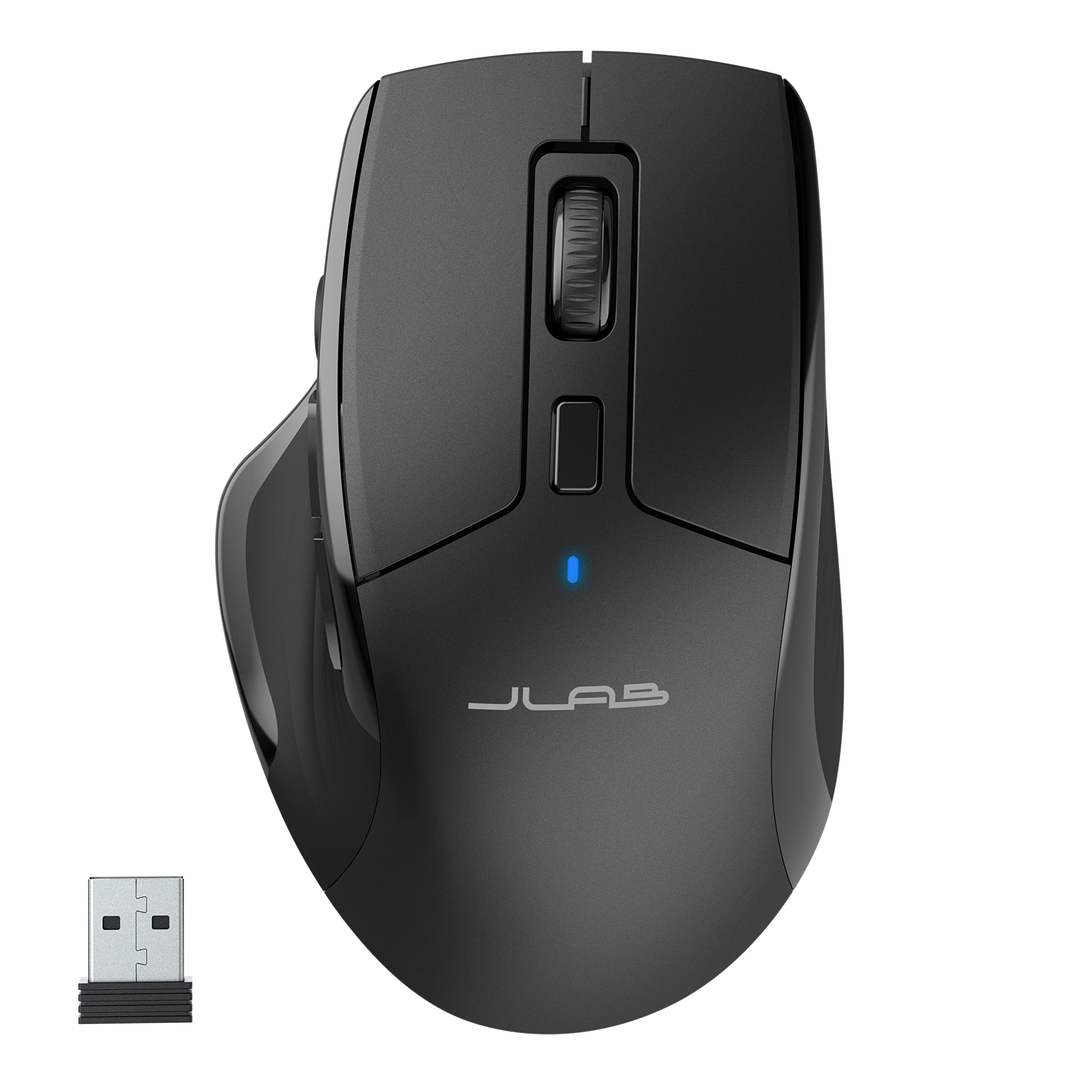
- Connects to up to three devices through Bluetooth 5.2 or a USB wireless dongle.
- Has seven programmable buttons and a full-size ergonomic shape.
- Silent clicks and custom profiles support quieter, tailored work.
Best For: People who want a full-size mouse with silent clicks and programmable controls across devices.
JLab Epic Wireless Mouse
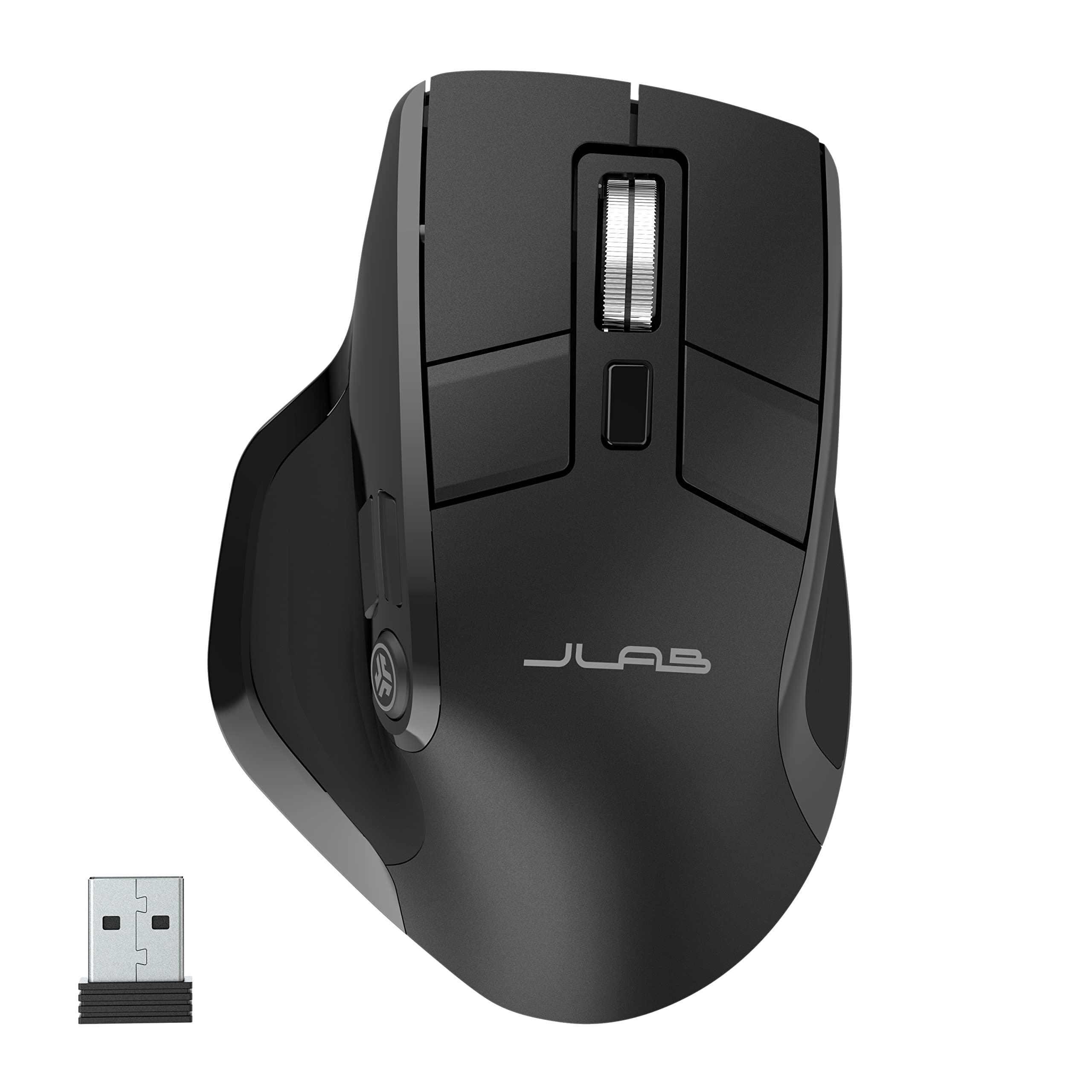
- OLED screen shows current DPI and battery level.
- Connects through Bluetooth 5.2 or a USB dongle and supports up to three devices.
- Full-size ergonomic shape and silent click buttons help make shared-office and long work sessions more comfortable.
Best For: Desk users who want battery and DPI information visible on the mouse while switching between devices.
SABRENT Mini Travel Wireless Mouse
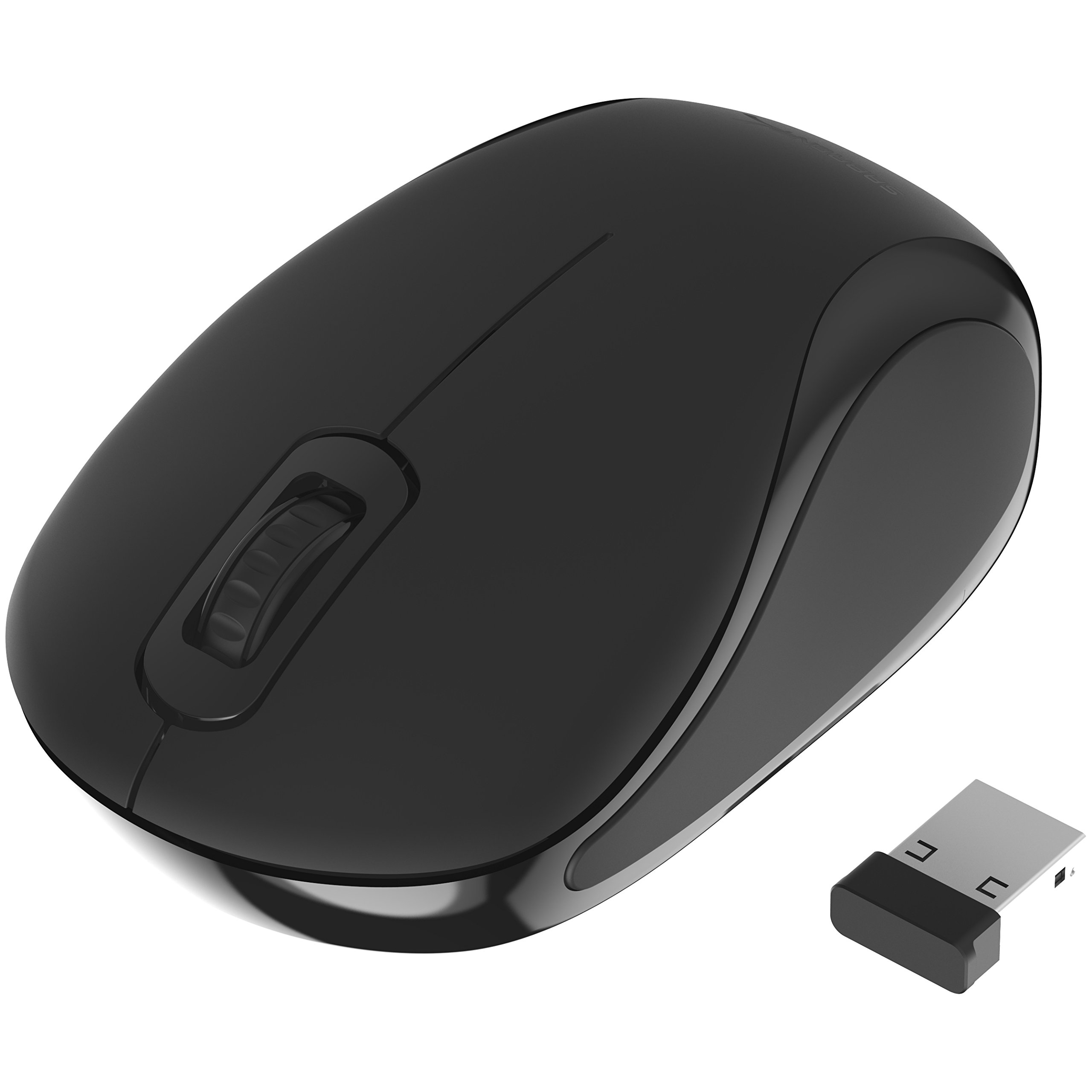
- Compact travel design uses a 2.4 GHz connection and nano receiver.
- Optical tracking supports up to 1200 dpi.
- Ambidextrous shape and three-button layout suit simple everyday use.
Best For: Laptop users who want an ambidextrous mouse with a compact travel design and basic wireless control.
ESR MagMouse
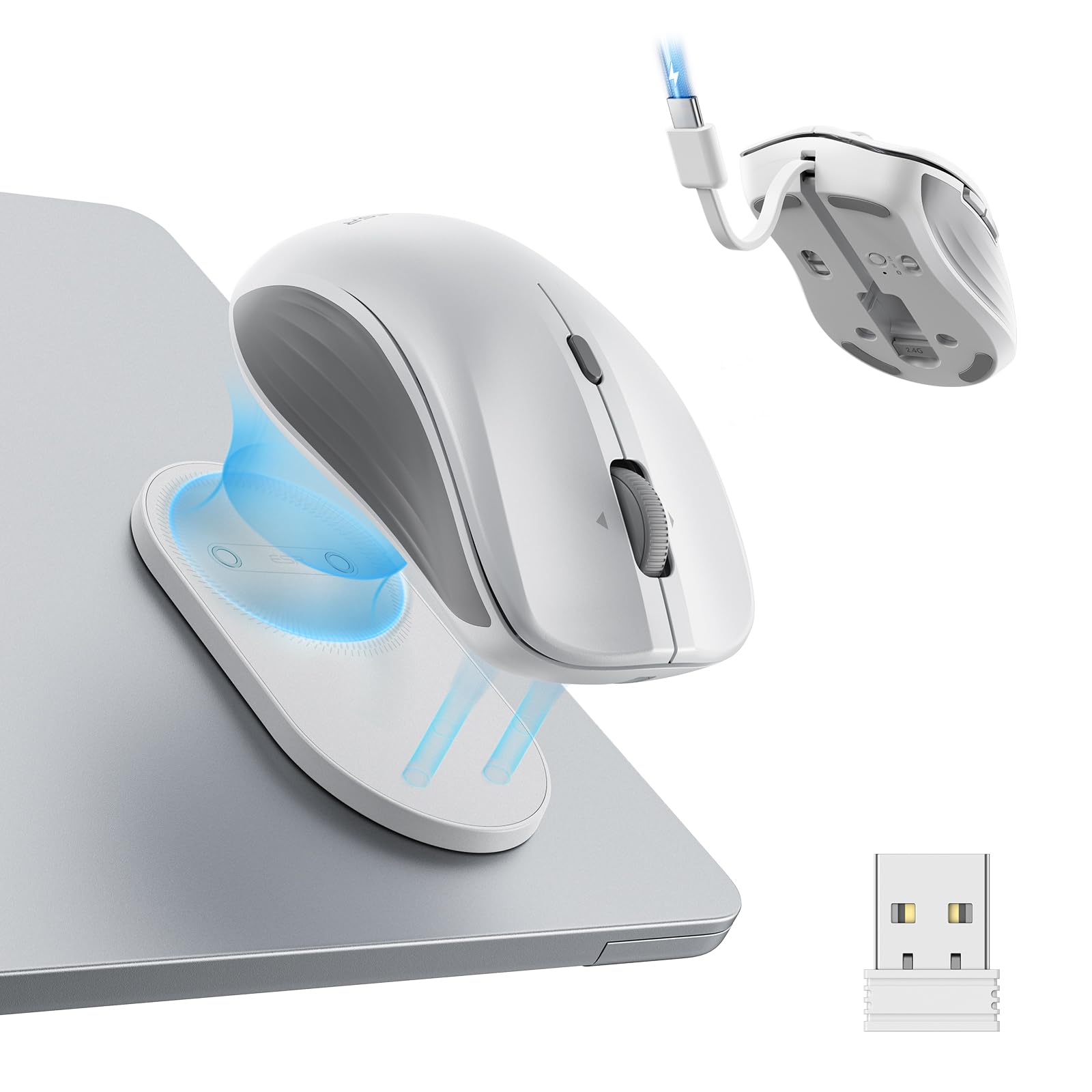
- Connects over Bluetooth 5.0 or a 2.4 GHz wireless dongle.
- Built-in USB-C cable supports charging; a full charge is rated for up to 160 hours.
- Offers six DPI levels and four-way scrolling.
Best For: Mobile workers who want a travel mouse with flexible connectivity and a built-in charging cable.
Contour Unimouse Wireless
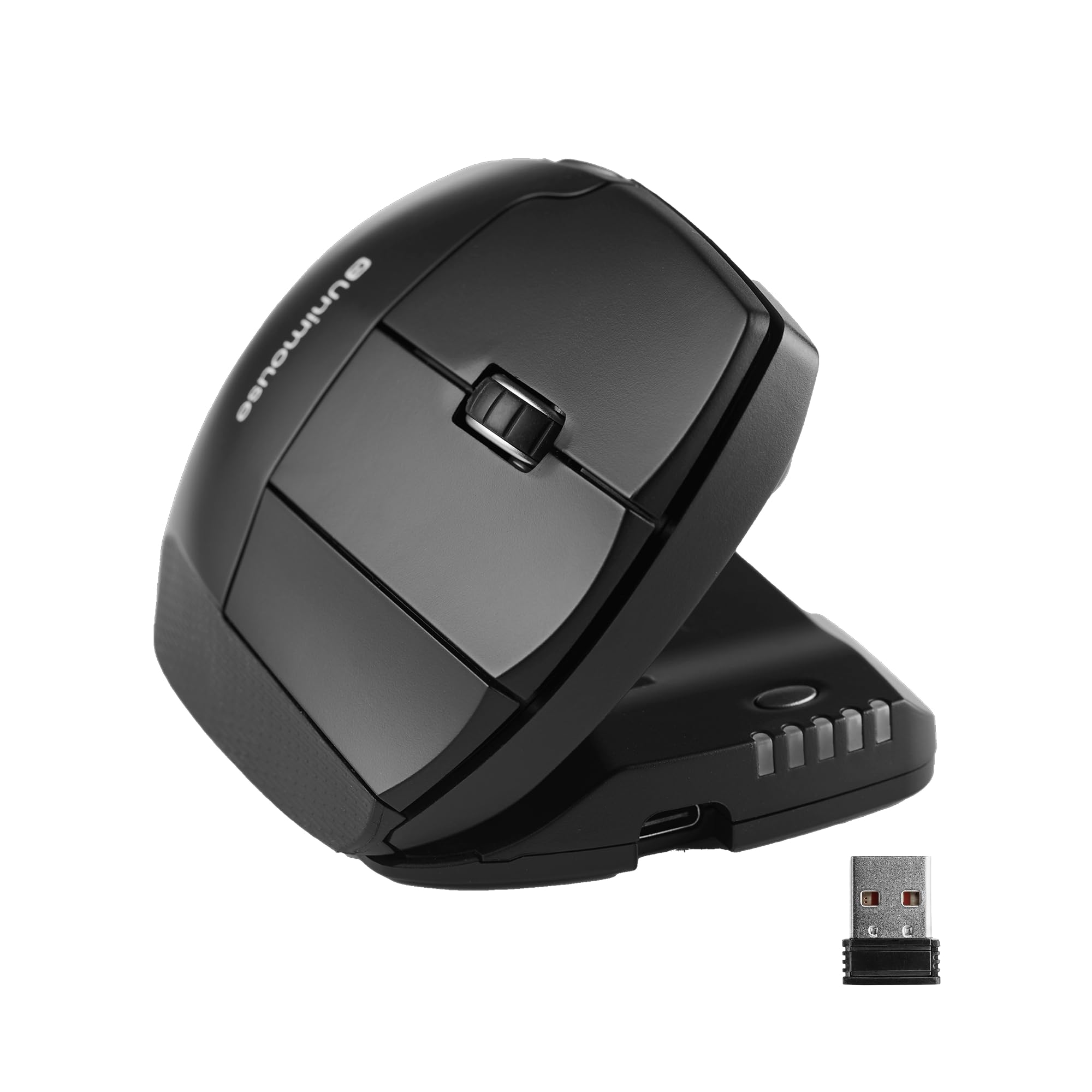
- Adjusts from 35° to 70° tilt.
- Thumb support slides, pivots, and rotates for a customized grip.
- Includes six programmable buttons and a rechargeable battery rated for up to 12 weeks.
Best For: Right-handed users who want to adjust the tilt and thumb rest of a vertical-style mouse.
SteelSeries Prime Wireless
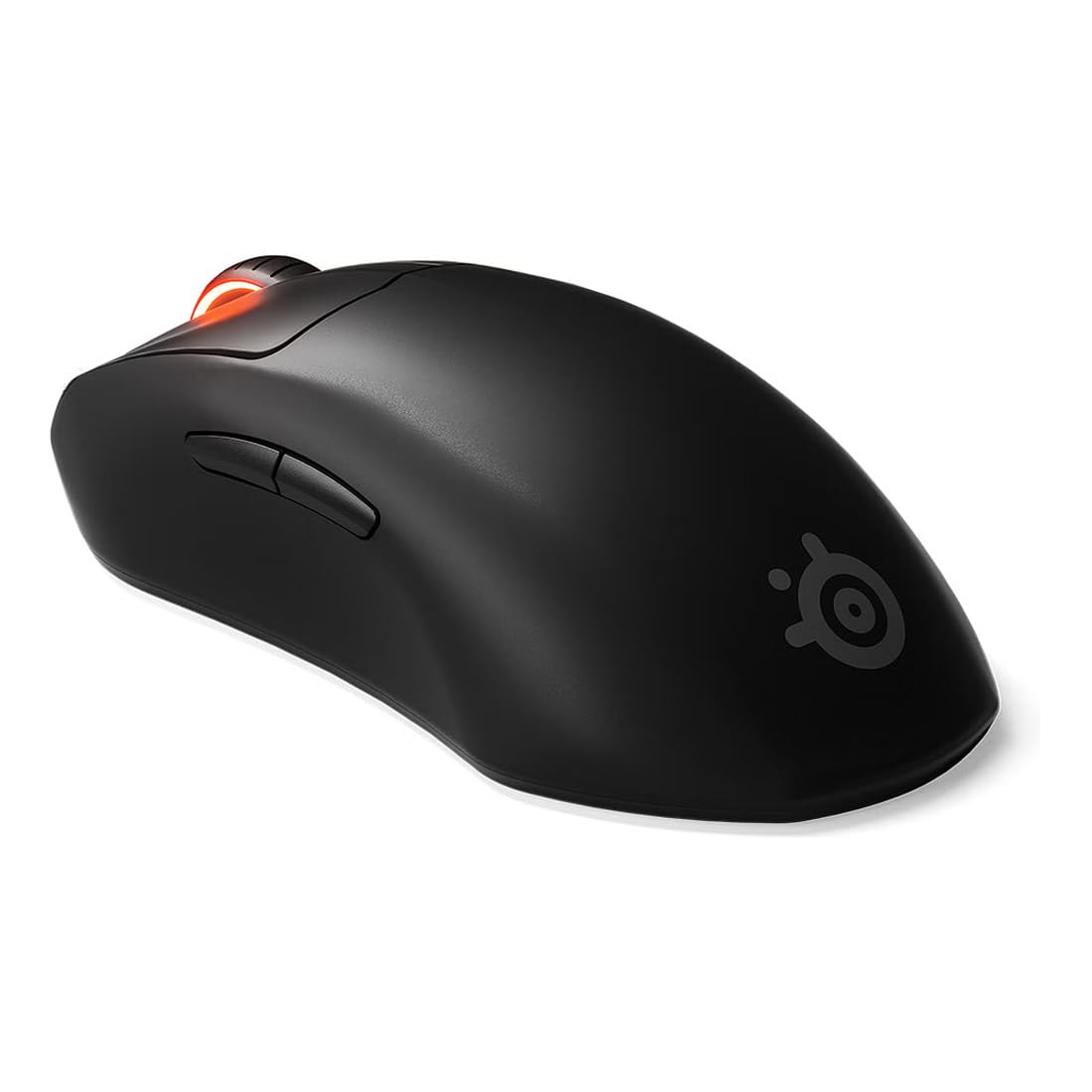
- TrueMove Air sensor has an 18K CPI rating with 400 IPS and 40G figures.
- Wireless battery life is rated at up to 100 hours, with fast charging.
- Optical magnetic switches are rated for 100 million clicks.
Best For: Right-handed FPS players who want a lightweight wireless mouse with a long stated battery life.
SteelSeries Prime Mini Wireless
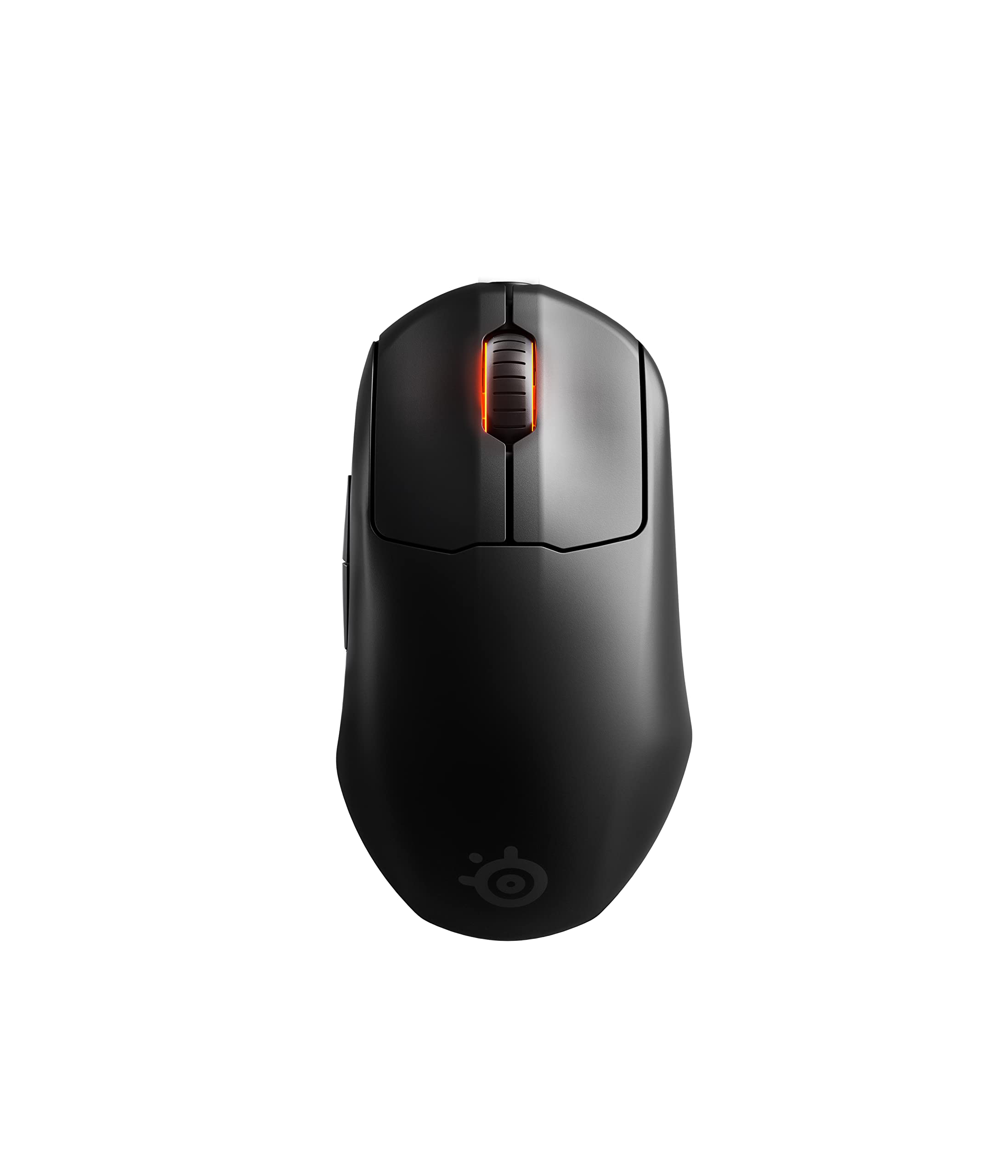
- Mini gaming form factor weighs 74g.
- Supports lag-free 2.4 GHz wireless and up to 100 hours of battery life.
- Has five programmable buttons and an 18K CPI sensor.
Best For: FPS players who prefer a smaller mouse with wireless connectivity and five programmable buttons.
SteelSeries Rival 3 Wireless Gen 2
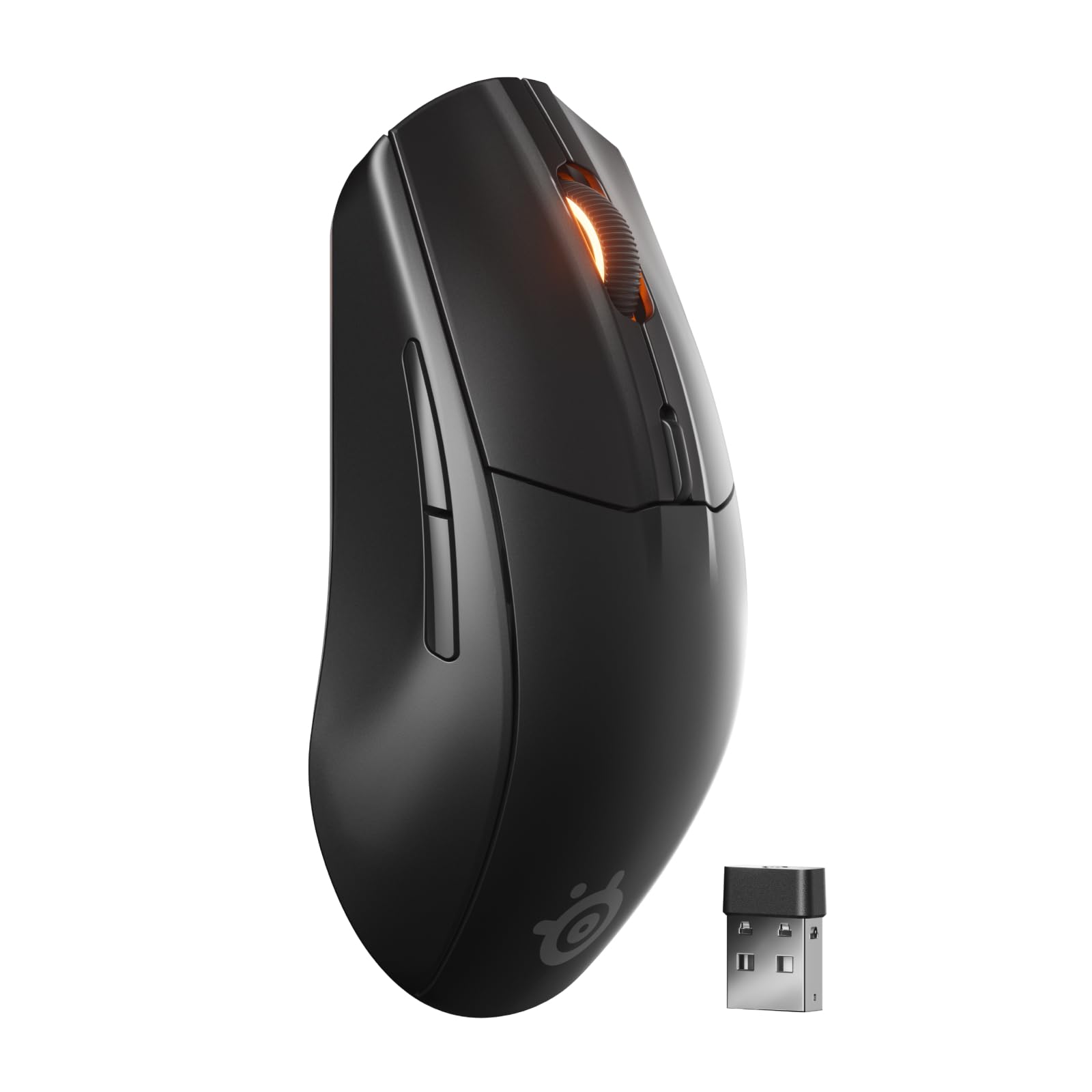
- Switches between 2.4 GHz and Bluetooth connections.
- TrueMove Air sensor is rated at 18,000 DPI.
- Uses one AAA battery and has different stated runtimes by connection mode.
Best For: Players who want one mouse that can switch between gaming-grade 2.4 GHz and Bluetooth devices.
SteelSeries Aerox 5 Wireless
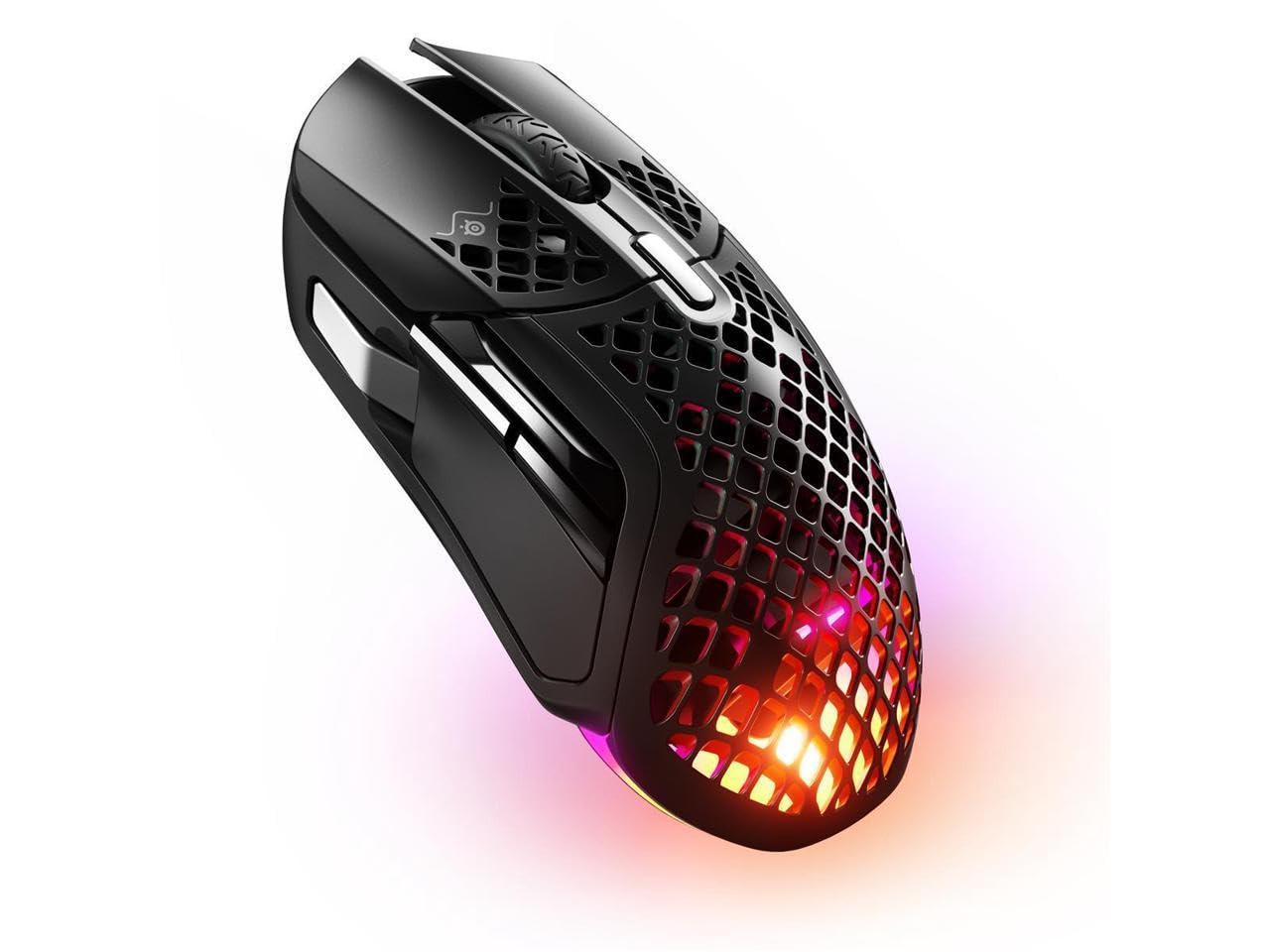
- Nine programmable buttons include a side panel and flick switch.
- Supports Bluetooth 5.0 and 2.4 GHz wireless.
- Weighs 74g and has a 180-hour battery rating.
Best For: Wireless gaming users who want nine programmable buttons and a lightweight design.
Long-Lasting Compact Work Mouse
JLab, GO Charge, Wireless Mouse, Bluetooth, USB Dongle, Multi-Device, Compact, Rechargeable, Black
The JLab GO Charge pairs a compact shape with Bluetooth 5 and a USB wireless dongle, and it can connect to three devices for quick switching. Its rechargeable battery is rated for 4+ months per charge, while adjustable DPI tracking lets you set cursor speed for different tasks.
Silent click buttons suit shared offices or focused work, and the compact design is made to slip into a bag. Check whether the compact size suits your hand for long desk sessions, and consider that battery life depends on use and setup.
Best For: A portable everyday mouse for people who switch between a laptop and other devices.
| Pros | Cons |
|---|---|
|
|
Choose the GO Charge if a bag-friendly work mouse and long intervals between charges matter more than a full-size shape. Its three-device toggle also suits a desk shared by a laptop, tablet, or phone.
Before buying, confirm that its compact proportions suit your grip, since the supplied details do not give measurements. The notes mention a two-year warranty; check coverage terms for your region and intended use.
Quiet Multi-Device Office Control
JLab, JBuds, Wireless Mouse, Bluetooth, USB Dongle, Multi-Device, Silent Click, Full-Size, Black
The JLab JBuds combines a full-size ergonomic shape with silent click buttons, seven programmable buttons, and a scroll wheel for everyday work. It pairs through Bluetooth 5.2 or a USB wireless dongle and can connect to as many as three devices, making it convenient for a multi-device desk.
The JLab Work app lets you remap buttons and save custom profiles. Its rechargeable design avoids disposable battery changes, though the supplied details do not give a runtime per charge.
Confirm app and operating-system support for your specific setup before relying on profile customization.
Best For: People who want a full-size mouse with silent clicks and programmable controls across devices.
| Pros | Cons |
|---|---|
|
|
This JBuds model fits people who prefer a full-size work mouse and want quiet clicks plus programmable controls. Its app profiles offer more customization detail than a basic travel mouse, while rechargeable power keeps the setup simple.
Compare it with the Epic if an OLED battery and DPI display is useful; those features are specified for the Epic model. Check that you are selecting this JBuds mouse rather than the similarly named vertical mouse or keyboard bundle.
OLED Status and DPI Display
JLab, Epic, Wireless Mouse, Bluetooth, Multi-Device, OLED Display, Full-Size
The JLab Epic puts battery level and current DPI on a built-in OLED display, so key status information stays visible during work. It connects over Bluetooth 5.2 or a USB wireless dongle and can toggle among up to three paired devices.
Its full-size ergonomic shape, silent click buttons, and three customizable profiles make it a flexible office option. The supplied details identify an 800 mAh rechargeable battery but do not give a runtime figure.
Consider whether the display and profiles are useful enough for your routine, and check compatibility with the JLab Work app on your device.
Best For: Desk users who want battery and DPI information visible on the mouse while switching between devices.
| Pros | Cons |
|---|---|
|
|
Pick the Epic if checking charge status or DPI at a glance would help your desk routine. It combines that display with three-device switching, silent clicks, and saved profiles.
The tradeoff is that its battery runtime is not provided, so the 800 mAh capacity alone does not tell you how often it needs charging. If display information is unnecessary, the JBuds also has silent clicks and three-device support, with a full-size shape and seven programmable buttons.
Small, Simple Travel Pick
SABRENT Mini Travel 2.4GHz Wireless Mouse with Nano Receiver (MS-WSML)
The SABRENT Mini Travel is a straightforward option for a laptop bag: it uses a 2.4 GHz wireless connection with a nano receiver and has an ambidextrous design. Its optical tracking reaches 1200 dpi, and the listed range is 10.0 meters.
The three-button layout keeps controls simple, while its battery-powered design uses one AAA battery. This model focuses on portability rather than multi-device switching or customization.
Check that your computer has a compatible USB port for the receiver and that you are comfortable supplying the AAA battery separately if needed.
Best For: Laptop users who want an ambidextrous mouse with a compact travel design and basic wireless control.
| Pros | Cons |
|---|---|
|
|
The SABRENT Mini Travel suits buyers who want a basic, compact mouse for a laptop and do not need multiple connection modes or programmable buttons. Its ambidextrous form and nano receiver are useful for shared or mobile setups.
It uses a replaceable AAA battery, unlike the rechargeable work mice in this roundup. Check receiver compatibility and whether a three-button layout covers your regular tasks.
Snap-On Carry and Built-In Charging
ESR MagMouse Snap-to-Carry Bluetooth Mouse, Wireless Mouse for Laptop | Rechargeable Mouse with Built-in Charging Cable, Reusable Adhesive Holder, BT 5.0 + 2.4 GHz Connectivity, Ergonomic, White
The ESR MagMouse is designed around portable use: its magnetic base can attach to a reusable adhesive holder, and a built-in USB-C cable handles charging. It supports Bluetooth 5.0 and 2.4 GHz dongle connections, with six DPI levels from 800 to 4800 and four-way scrolling for wide documents or spreadsheets.
The mouse has silent clicks, and its battery is rated for up to 160 hours after a full 45-minute charge. The adhesive holder is part of the carry system, so check that its placement and reusable attachment suit your laptop or travel routine.
Best For: Mobile workers who want a travel mouse with flexible connectivity and a built-in charging cable.
| Pros | Cons |
|---|---|
|
|
Choose the MagMouse for travel if its magnetic holder and built-in cable match how you pack and charge gear. Its connection options, DPI steps, and four-way scrolling also work for varied laptop tasks.
The holder relies on reusable adhesive, so consider where it can attach and whether you want an adhesive accessory in your setup. Compare its stated battery runtime with your travel schedule, while remembering actual time between charges can vary by use.
Adjustable Vertical Grip
Contour Unimouse Ergonomic Vertical Mouse Adjustable 35°-70° Tilt Angle, 6 Programmable Buttons for Productivity, Customizable Thumb Rest for Wrist Pain Relief | Plug & Play Mac/PC - Wireless - Right
The Contour Unimouse gives right-handed users an adjustable vertical grip rather than a fixed-angle shape. Its tilt can be set from 35° to 70°, and the thumb support moves in several directions and rotates for a more tailored hand position.
Six programmable buttons and a scroll wheel support productivity tasks, while a USB receiver provides plug-and-play wireless connectivity with Windows and macOS. The rechargeable battery is rated for up to 12 weeks per charge.
Because fit is personal, consider whether you want an adjustable vertical design and confirm the receiver works with your computer.
Best For: Right-handed users who want to adjust the tilt and thumb rest of a vertical-style mouse.
| Pros | Cons |
|---|---|
|
|
The Unimouse is a fit-focused choice for right-handed users who want to tune the angle and thumb support instead of settling for a fixed vertical shape. It also provides six programmable buttons and a long stated battery interval.
The tradeoff is the right-hand-only design and USB receiver connection. Check your operating system and port setup, and decide whether the adjustability suits your grip before choosing it for extended use.
Right-Handed FPS Precision
SteelSeries Esports Wireless FPS Gaming Mouse - Ultra Lightweight, Prime Programmable, 18K CPI Sensor, Magnetic Optical Switches, PC/Mac, Black
The SteelSeries Prime Wireless is shaped for right-handed play and supports finger, palm, and claw grip styles. Its TrueMove Air sensor has an 18K CPI rating, with 400 IPS and 40G figures, while Quantum 2.0 wireless is rated for up to 100 hours of battery life and supports fast charging.
Optical magnetic switches are rated for 100 million clicks. At 2.72 ounces, it offers a lightweight gaming format without the numerous extra buttons found on some MMO-oriented mice.
Check whether its right-handed shape and button layout suit your games and grip.
Best For: Right-handed FPS players who want a lightweight wireless mouse with a long stated battery life.
| Pros | Cons |
|---|---|
|
|
Consider the Prime Wireless for FPS play if its right-handed shape and grip options match your hand. Its 18K CPI sensor, fast charging, and up to 100-hour battery life target focused gaming use.
Buyers who need a large side-button array may prefer another mouse; those who want a compact mini shape can consider the Prime Mini. Check the intended grip and button layout, since these details will affect how well it fits your games.
Compact FPS Gaming Shape
SteelSeries Esports Mini Wireless FPS Gaming Mouse – Ultra Light – Prime Mini Edition – 5 Programmable Buttons – Lag-free 2.4GHz – 100H Battery – 18K CPI Sensor – Magnetic Optical Switches – PC/Mac
The SteelSeries Prime Mini Wireless pairs an FPS-oriented design with a 74g mini form factor. It has five programmable buttons, a TrueMove Air sensor rated at 18K CPI, and lag-free 2.4 GHz wireless.
Its Quantum 2.0 wireless system is rated for up to 100 hours of battery life and fast charging, while optical magnetic switches are rated for 100 million clicks. The compact body can suit players seeking a smaller gaming mouse, though the supplied details do not give its physical dimensions or hand orientation.
Check those fit details and confirm the five-button layout covers your games.
Best For: FPS players who prefer a smaller mouse with wireless connectivity and five programmable buttons.
| Pros | Cons |
|---|---|
|
|
The Prime Mini suits FPS players who want a compact format with five programmable buttons and a stated 100-hour battery life. It keeps the core gaming focus while offering fewer controls than mice designed around extensive side-button access.
Since the supplied details do not identify its exact dimensions or hand orientation, check product fit before buying. Choose a full-size alternative if a larger shape or clearly specified right-handed design matters more.
Dual Wireless for Gaming and General Use
SteelSeries Rival 3 Wireless Gen 2 Gaming Mouse — 2.4GHz and Bluetooth — 18000 DPI TrueMove Air Optical Sensor — 60 Million Click Durability — Light-Weight — 100% PTFE Feet — Black
The Rival 3 Wireless Gen 2 switches between a gaming-grade 2.4 GHz connection and Bluetooth, making it a flexible choice for a gaming desk that also serves other devices. Its TrueMove Air optical sensor is rated at 18,000 DPI, with a stated 1.9 ms click latency and switches rated for 60 million clicks.
Battery life is listed at up to 200 hours on 2.4 GHz or 450 hours on Bluetooth using one AAA battery. That battery is replaceable rather than rechargeable.
Consider which wireless mode you will use most and whether keeping spare AAA batteries is convenient.
Best For: Players who want one mouse that can switch between gaming-grade 2.4 GHz and Bluetooth devices.
| Pros | Cons |
|---|---|
|
|
Choose the Rival 3 Gen 2 if you want one wireless mouse for gaming and Bluetooth-connected devices. Its mode-specific battery figures are useful for planning, but the mouse uses a replaceable AAA battery, so charging is not part of the routine.
The Prime Wireless instead has fast charging and a specified right-handed design. Check which connection mode matters most, since the stated battery life differs between 2.4 GHz and Bluetooth.
Programmable Controls Without an MMO Layout
SteelSeries Aerox 5 Wireless - Holey RGB Gaming Mouse - Ultra-lightweight Water Resistant Design - 9 Buttons – Bluetooth/2.4 GHz - 18K DPI TrueMove Air Optical Sensor
The Aerox 5 Wireless offers nine programmable buttons in a 74g gaming mouse, including a side panel and an up/down flick switch. It connects over 2.4 GHz or Bluetooth 5.0 and has a TrueMove Air optical sensor rated at 18K DPI.
Its 180-hour battery rating and IP54-rated Aquabarrier protection add practical details for a wireless setup. The holey shell is part of its lightweight design.
This model sits between simpler gaming mice and the Aerox 9's 18-button layout, so consider how many shortcuts you actually use before choosing it.
Best For: Wireless gaming users who want nine programmable buttons and a lightweight design.
| Pros | Cons |
|---|---|
|
|
The Aerox 5 fits players who want extra shortcuts without moving to the Aerox 9's 18-button arrangement. It combines nine programmable buttons with dual wireless modes and a stated 74g weight.
The holey shell is a defining design feature, so consider whether that construction suits your preferences. Check the side controls and flick switch against your games and workflow; the listed button count does not alone determine whether their placement will suit you.
How to Choose Wireless Mice
How We Picked Wireless Mice
This selection covers common wireless mouse needs with distinct designs: compact travel, quiet multi-device office work, adjustable ergonomic positioning, and wireless gaming. We prioritized candidates whose supplied details identify a usable fit or feature, such as connection modes, programmable controls, battery type, shape, or gaming sensor information.
The list includes both Bluetooth and 2.4 GHz options, as well as mice that use a USB receiver. Consider which connection your computer supports and whether you want to pair devices directly or keep a receiver plugged in.
For a multi-device desk, check the stated device limit and whether quick switching is supported.
Comparing Wireless Mice
The work-focused JLab models emphasize multi-device pairing, silent clicks, and rechargeable use. The Epic adds an OLED display for battery and DPI, while the JBuds offers seven programmable buttons.
The GO Charge is more compact and gives a 4+ month battery rating. The ESR MagMouse takes a travel-oriented approach with a magnetic holder, built-in charging cable, and four-way scrolling.
For gaming, compare shape, controls, connection modes, and power. The Prime Wireless and Prime Mini focus on FPS play, while the Aerox 5 offers nine programmable buttons and the Rival 3 Gen 2 switches between 2.4 GHz and Bluetooth with a replaceable AAA battery.
The Unimouse is a distinct ergonomic choice with adjustable tilt and thumb support.
| Product | Standout features | Best for |
|---|---|---|
| JLab GO Charge Wireless MouseCheck Price |
| A portable everyday mouse for people who switch between a laptop and other devices. |
| JLab JBuds Wireless MouseCheck Price |
| People who want a full-size mouse with silent clicks and programmable controls across devices. |
| JLab Epic Wireless MouseCheck Price |
| Desk users who want battery and DPI information visible on the mouse while switching between devices. |
| SABRENT Mini Travel Wireless MouseCheck Price |
| Laptop users who want an ambidextrous mouse with a compact travel design and basic wireless control. |
| ESR MagMouseCheck Price |
| Mobile workers who want a travel mouse with flexible connectivity and a built-in charging cable. |
| Contour Unimouse WirelessCheck Price |
| Right-handed users who want to adjust the tilt and thumb rest of a vertical-style mouse. |
| SteelSeries Prime WirelessCheck Price |
| Right-handed FPS players who want a lightweight wireless mouse with a long stated battery life. |
| SteelSeries Prime Mini WirelessCheck Price |
| FPS players who prefer a smaller mouse with wireless connectivity and five programmable buttons. |
| SteelSeries Rival 3 Wireless Gen 2Check Price |
| Players who want one mouse that can switch between gaming-grade 2.4 GHz and Bluetooth devices. |
| SteelSeries Aerox 5 WirelessCheck Price |
| Wireless gaming users who want nine programmable buttons and a lightweight design. |
Choosing a Wireless Mouse for Work or Travel
For a mouse that travels with a laptop, look at size, receiver storage, and charging. The SABRENT Mini Travel uses a nano receiver and one AAA battery.
The GO Charge is compact and rechargeable, while the ESR MagMouse includes a built-in USB-C cable and magnetic carry holder. Consider whether your bag setup has space for a receiver or holder and whether you prefer charging or replacing batteries.
For office use, silent clicks can help in shared spaces, while multi-device switching is useful when a desk includes more than one computer. The JLab JBuds and Epic each support up to three devices and allow profile customization through the JLab Work app.
The Epic's screen displays DPI and battery level. Check app support and whether the full-size shape fits your hand.
Which Wireless Gaming Mouse Fits Your Play Style?
FPS players may prefer the Prime Wireless or Prime Mini, which pair gaming-focused sensor details with wireless battery ratings. The standard Prime is specified for right-handed users and several grip styles; the Mini offers a 74g mini format and five programmable buttons.
Check the shape and button count against your grip and game controls before deciding.
If you use many shortcuts, compare the Aerox 5's nine programmable buttons with the Aerox 9's 18-button layout. The Rival 3 Gen 2 is a simpler dual-mode option for switching between gaming-grade 2.4 GHz and Bluetooth.
Its battery figures differ by connection mode, and it uses a AAA battery, so match the choice to your device setup and charging preferences.
Who Should Buy Which Wireless Mouse?
Choose the JLab GO Charge for compact work and long stated time between charges, or the JBuds and Epic for full-size office control with multi-device profiles. The ESR MagMouse is a fit for mobile work if its magnetic holder and built-in cable suit your carry routine.
For basic travel use, the SABRENT Mini Travel keeps the design and button layout simple.
Choose the Contour Unimouse if adjustable vertical positioning is your priority and you use your right hand. For gaming, the Prime models suit FPS-focused buyers, while the Aerox 5 and Rival 3 Gen 2 address extra programmable controls or dual-mode connectivity.
Before ordering, verify hand orientation, receiver compatibility, battery preferences, and whether the selected mouse provides the buttons and connection modes your devices need.