Developers often spend long stretches at a desk, switching between focused work and the music, calls, or games that fill their breaks. A useful gift can make that everyday setup more comfortable or capable.
These nine picks range from small practical accessories to larger workspace upgrades, with options for different interests and gifting budgets.
9 Gift Ideas for Developers and Their Workspaces
FIFINE T669 USB Studio Microphone Kit

- USB connection supports plug-and-play setup with a PC or laptop.
- The cardioid capsule captures audio from the front while avoiding ambient noise.
- Includes a desktop mic boom arm stand, an 8.2ft USB cable, and a double pop filter.
Best Gift For: A developer who records podcasts, voiceovers, or music at home.

SteelSeries Arctis Nova Pro Wireless Headset

- Connects two systems at once and lets the user switch between them.
- Active noise cancellation helps reduce distracting sounds during play.
- Hot-swappable batteries keep a spare charging in the base station.
Best Gift For: A developer who games across a PC and console setup.
Nulaxy Pull-Out Height Adjustable Laptop Stand

- Adjustable height supports sitting or standing desk positions.
- The pull handle makes changing positions quick.
- Folds compactly to save desk space and travel between home and office.
Best Gift For: A developer who alternates between sitting and standing while working.
TP-Link Archer AXE75 WiFi 6E Router

- Tri-band WiFi 6E supports concurrent browsing, streaming, and gaming.
- The 6 GHz band supports responsive gaming and video chats.
- Can create a OneMesh network with a TP-Link OneMesh extender.
Best Gift For: A developer looking to refresh a home network used for gaming and streaming.
SABRENT 6-Port USB-C Hub with M.2 SSD Slot

- Provides USB ports, power delivery, networking, and an M.2 slot.
- Connects to an external display through HDMI.
- Works with Windows, macOS, and Linux systems.
Best Gift For: A developer who wants to connect peripherals and carry extra storage with a laptop.
Audioengine A2+ Wireless Desktop Speakers

- Compact powered speakers are designed for desk listening.
- Bluetooth supports wireless streaming from phones, tablets, and computers.
- USB-C, RCA, and 3.5mm AUX inputs offer wired connection options.
Best Gift For: A developer who likes listening to music at a desk between tasks.
MAONO T1 Wireless Lavalier Microphone
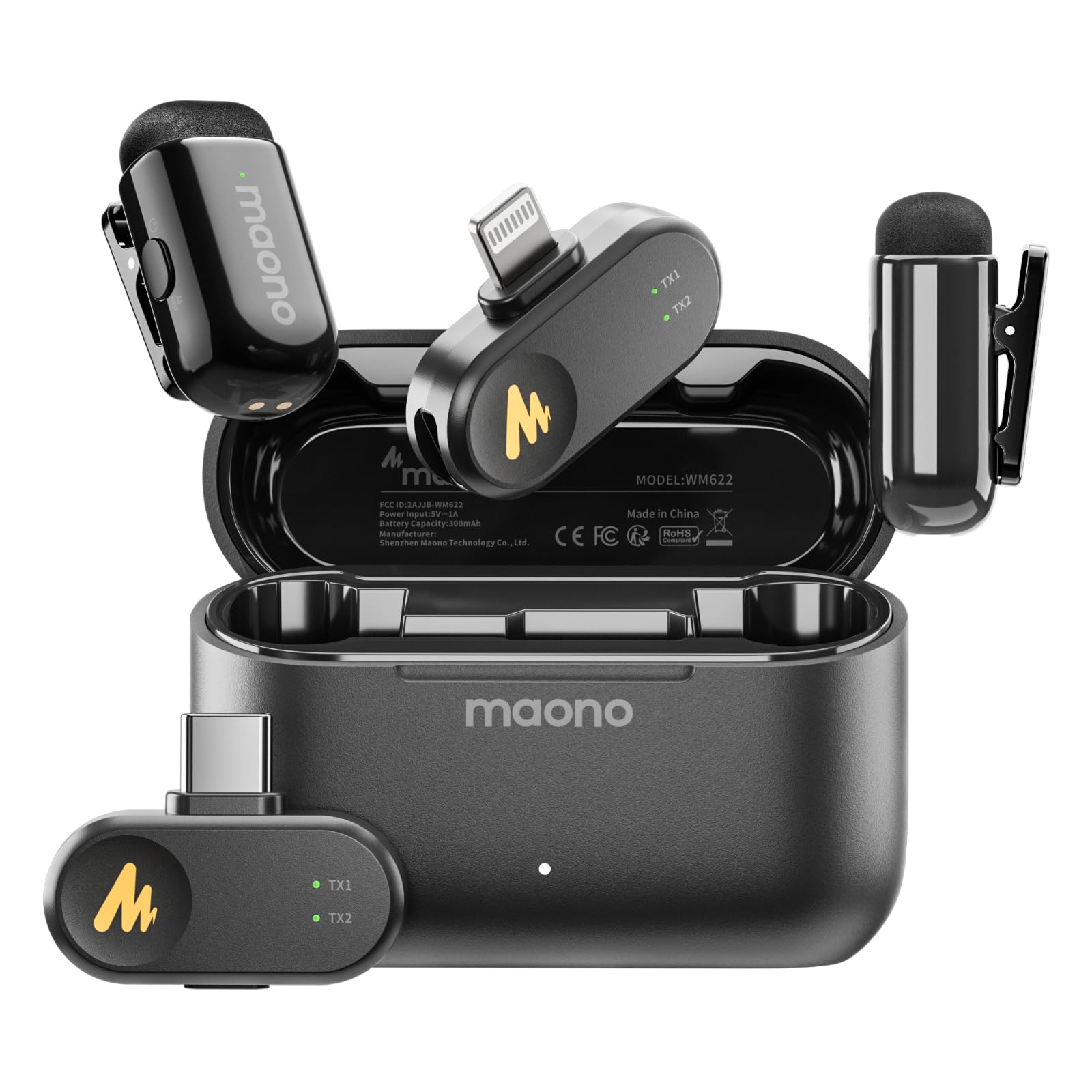
- Includes Lightning and USB-C receivers for compatible devices.
- The noise cancellation level and sound gain can be adjusted in real time.
- A compact charging case supports up to 30 hours of use.
Best Gift For: A developer who records mobile videos, streams, or interviews.
SteelSeries Aerox 3 Wireless Gaming Mouse

- A holey shell reduces the mouse weight to 68g.
- Wireless connections include 2.4GHz and Bluetooth 5.0.
- PrismSync lighting offers configurable colors.
Best Gift For: A developer who enjoys wireless PC gaming and customizable desk lighting.
SABRENT SuperSpeed USB 3.0 Card Reader
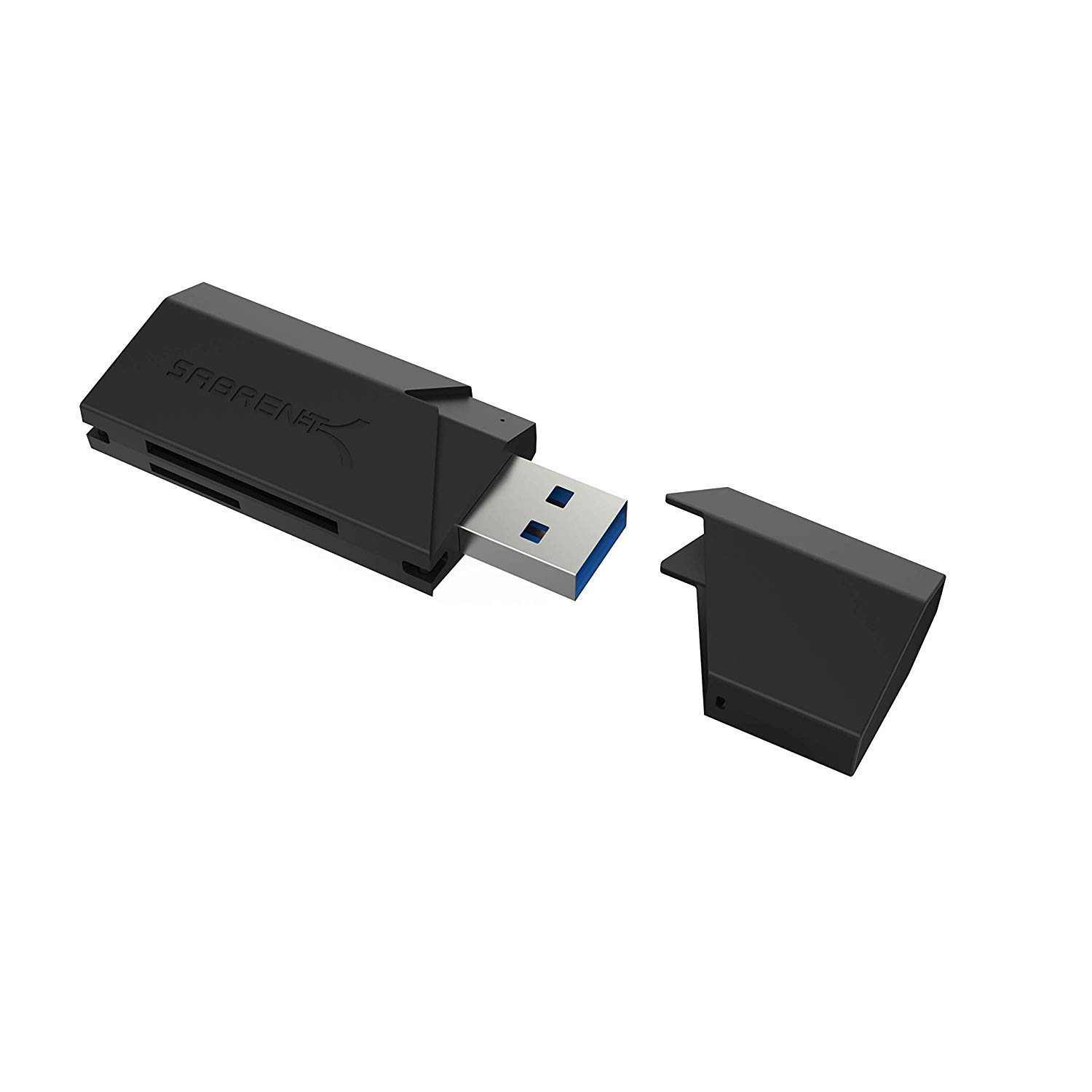
- Supports SD, SDHC, SDXC, MMC, MicroSD, and T-Flash formats.
- Uses USB power, so it needs no separate power supply.
- Plug-and-play operation requires no installation.
Best Gift For: A developer who transfers files from SD or MicroSD cards to a computer.
1. Match gifts for developers to their workday
Start with how the recipient spends time at the computer: focused coding, remote meetings, audio projects, or gaming after work. Gifts for developers feel more personal when they fit a familiar part of that routine instead of adding another object with no clear place.
For someone who moves between a laptop and a full desk, think about the friction they mention most: a screen that sits too low, too few ports, or awkward device switching. A thoughtful accessory can ease that recurring annoyance, provided it fits their current setup.
If their workspace is already polished, choose for a side interest they have shared openly. A recording hobby, a music playlist they always have on, or a regular gaming session gives you a useful clue without requiring you to guess at their code tools or work habits.
2. Balance budget and usefulness
A modest budget can still make room for a useful desk gift. Compact accessories can solve a small recurring problem, while a microphone or audio upgrade may suit someone with a clear recording or listening interest.
Match the scale of the gift to how often it will be used.
For a larger purchase, consider whether it will support a well-used part of the recipient’s routine. A workspace upgrade can make sense when they have mentioned wanting one; a specialized device is more satisfying when you know the related hobby is active.
Check actual prices before deciding, since prices can change.
Think about what else the gift may require. For electronics, check the recipient’s existing connections, operating system, and intended setup against current product details.
If an upgrade depends on compatible equipment they do not own, include that in your budget decision before buying.
3. Personalize the gift and presentation
Gifts for developers can still feel personal when the choice reflects something the recipient has told you: they record a podcast, work from more than one location, or unwind with music. A short note explaining that connection makes even a practical desk item feel considered.
Think about where the gift will live. A shared home office may call for something compact or easy to put away, while a dedicated desk offers more room for speakers or a stand.
If you are unsure about the layout, a flexible choice or a gift receipt can keep the gesture easy to enjoy.
Presentation can connect a practical gift to the recipient’s interests. Pair it with a handwritten note, a favorite snack, or a playlist recommendation if that feels natural.
Avoid buying extra technical accessories based on a guess; compatibility is better confirmed with the recipient or someone familiar with their setup.
4. Choose around the buyer’s deadline
For a last-minute decision, first confirm the recipient’s location and the details of the computer or phone they plan to use. Check current compatibility, dimensions, and delivery estimates before completing an order.
Delivery timing depends on the destination and current options, so use the estimate shown at checkout.
If timing is uncertain, choose something easy to explain and simple to exchange. A gift receipt helps when an accessory does not fit the recipient’s setup, and a note can explain why you chose it.
For a digital card or another backup, select one that suits the recipient’s interests and is available to them.
Do a final pass over the details that can turn a good idea into a mismatch: connection type, supported device, available desk space, and any extra equipment needed. These checks are especially helpful when choosing technical gifts quickly, since the recipient’s own setup may differ from yours.
5. Make the final choice easy to use
A useful gift should be straightforward to bring into the recipient’s routine. If the item needs setup, include a small card with a simple offer to help connect or arrange it, while letting them choose when.
Keep any packaging and receipts accessible in case they want a different fit.
For a group gift, agree on the person’s likely use before settling on an item. One friend may know their audio interests, while another knows the desk setup; combining those observations can prevent a well-meant purchase from missing the mark.
Let the person closest to their current equipment check compatibility.
Before you order, compare the product’s current details with the recipient’s needs and review the estimated delivery date. If you cannot verify a technical match in time, a flexible contribution toward an upgrade can leave the recipient in control.
A short, specific note can make that option feel just as thoughtful.