A good gaming gift can make a familiar setup more comfortable, immersive, or ready for sharing. The right choice depends on how the recipient plays and what their current space can support.
These nine ideas span personal audio, desk gear, streaming, and home entertainment, with options for different play styles and gifting budgets.
9 Gift Ideas for Gamers
SteelSeries Arctis Nova 7P Wireless Gaming Headset

- Neodymium magnetic drivers deliver a detailed soundscape.
- Connect by 2.4GHz wireless or Bluetooth.
- USB-C fast charge provides six hours of play after a 15-minute charge.
Best Gift For: A PlayStation player who wants wireless game audio and a retractable mic for calls.

SHOKZ OpenFit Open-Ear Bluetooth Earbuds

- The open-ear design uses soft silicone cushions.
- Flexible earhooks are designed for a secure fit.
- A five-minute quick charge provides an hour of battery life.
Best Gift For: A gamer who likes listening to audio while staying aware of their surroundings.
SteelSeries Apex Pro TKL Gaming Keyboard

- Adjustable switches let players set key actuation.
- Two actions can be programmed to one key.
- The tenkeyless layout keeps the keyboard compact.
Best Gift For: A PC gamer who wants to adjust how their keys respond during play.
SteelSeries Rival 5 Gaming Mouse

- The layout has nine programmable buttons.
- Five side buttons provide quick actions.
- The optical sensor uses one-to-one tracking.
Best Gift For: A player of fast-paced games who wants programmable side buttons.
FIFINE AmpliGame AM8 USB/XLR Gaming Microphone

- USB and XLR connections support different setups.
- The microphone has a tap-to-mute control and gain knob.
- RGB lighting can be changed with a button over USB.
Best Gift For: A gamer starting a streaming or podcast setup with USB or XLR equipment.
Audioengine A2+ Wireless Computer Speakers

- Compact powered speakers are designed for desk listening.
- Bluetooth supports wireless streaming from phones, tablets, and computers.
- Inputs include USB-C, RCA, and 3.5mm AUX.
Best Gift For: A gamer who also streams music, watches movies, or takes calls at a desk.
Valerion VisionMaster Pro 4K Laser Projector
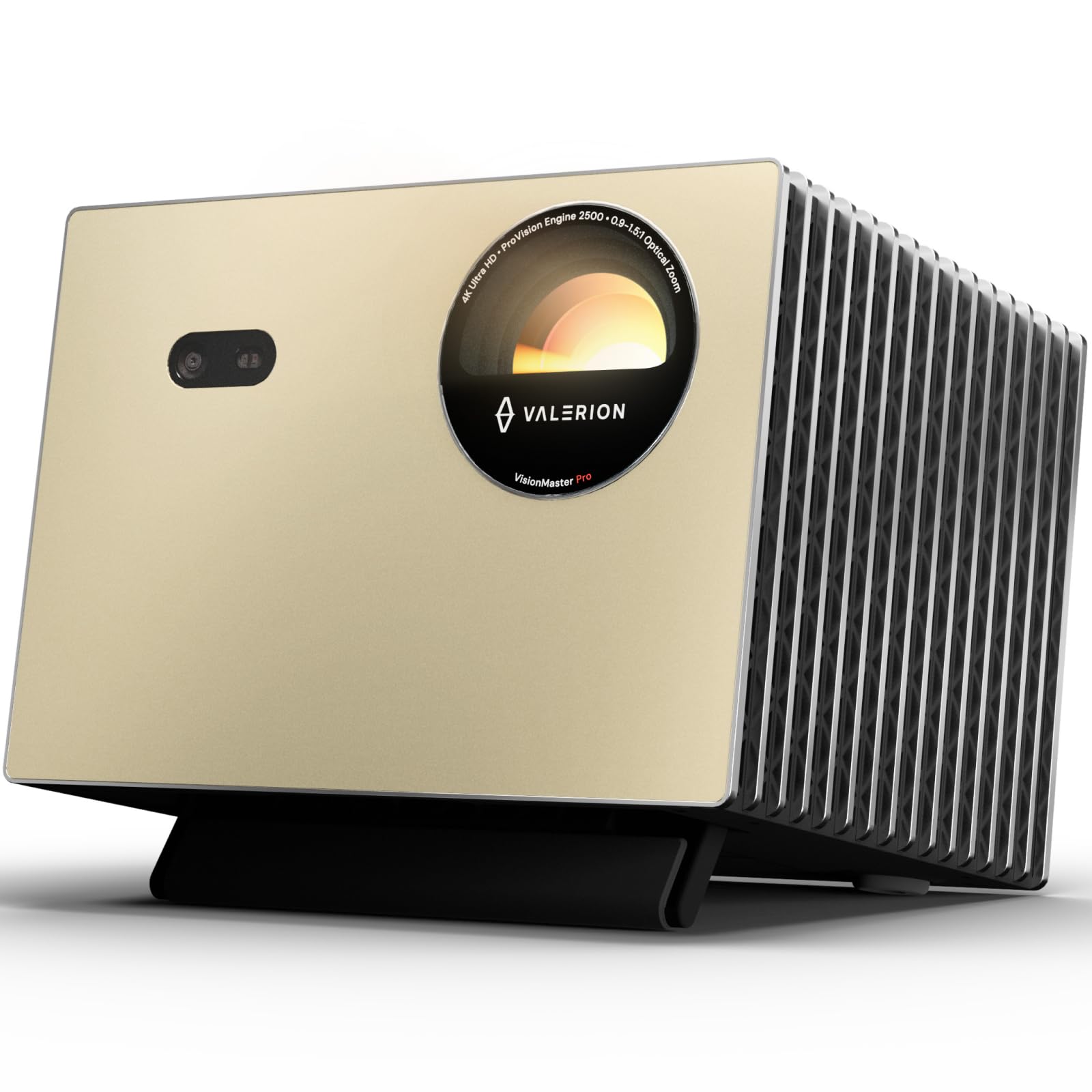
- The projector offers 4K UHD clarity.
- Its gaming mode supports 4ms input lag and a 240Hz refresh rate.
- The lens system includes a 0.9-1.5 throw ratio.
Best Gift For: A gamer planning a large-screen setup for games and movie nights.
TP-Link Archer AXE75 WiFi 6E Router

- Tri-band WiFi supports gaming, streaming, and browsing at once.
- The 6 GHz band is designed to enable more responsive gaming and video chats.
- A modem is required for most internet service providers.
Best Gift For: A household gamer who shares the network with people streaming or video chatting.
HUANUO FlowLift Dual Monitor Desk Mount

- Fits computer screens from 13 to 32 inches, subject to compatibility checks.
- The arms offer tilt, swivel, and rotation adjustment.
- Built-in cable management routes wires along the arms.
Best Gift For: A gamer with two compatible monitors who wants to free up desk space.
1. Match gifts for gamers to their play style
When choosing gifts for gamers, start with how the recipient spends time at their setup. Someone who plays with friends may value clearer voice chat, while a player who favors a controller and a couch may get more use from a shared-screen upgrade.
Consider the whole routine around gaming, too. A desk-based player may appreciate better organization or audio that works for music and calls as well as games.
Someone who streams might welcome a microphone that fits their computer or mixer connection.
If you are unsure about their gear, look for a gift that adds an option without requiring a full setup change. A familiar accessory or a flexible connection can be easier to incorporate than a major system upgrade.
2. Set a comfortable budget
Gaming gifts cover a wide range of budgets, so decide what feels comfortable before comparing features. A smaller accessory can still feel personal when it supports a game or routine the recipient enjoys, while larger equipment is best chosen with their setup in mind.
For a bigger purchase, check current prices and whether the recipient already owns something that serves the same purpose. A substantial upgrade can be thoughtful, but it may be less useful if it does not fit their room, computer, console, or desk.
Also consider possible extras. A router may need to work with the household’s internet setup, and a monitor mount depends on both the desk and screens.
Checking compatibility first helps you avoid turning a generous gift into an unexpected project.
3. Personalize gifts for gamers
Gifts for gamers feel more considered when they connect to how someone actually plays. Think about their favorite kind of games, whether they play solo or with friends, and what part of their setup they talk about improving.
You can make the presentation personal without adding another piece of equipment. Include a note naming the game night, music session, or shared match you hope the gift will be part of.
For a larger gift, wrap a small card separately with the reason you chose it.
If the recipient has a distinct setup style, choose colors or shapes that suit the space when available. Ask a friend or family member for a discreet compatibility check if you are uncertain; a quick look at their desk or devices may prevent a mismatch.
4. Make the gift fit the room and setup
Before choosing a desk or display upgrade, think about the space where it will be used. Measure available desk area and check what the existing equipment can support.
For audio gear, consider whether the recipient prefers headphones, speakers, or a mix depending on the time of day.
A gift that works alongside what they already own is often easier to enjoy. Check device compatibility, connection types, and any required accessories before ordering.
If the setup is shared, ask whether the household needs to coordinate network or sound changes.
For a large entertainment upgrade, consider viewing distance, room layout, and where the equipment will live. These practical details matter as much as the feature list and can guide you toward a gift the recipient can use comfortably.
5. Plan timing and presentation
For last-minute buying, check the current delivery estimate before placing an order, since timing can change by location and item. If arrival is uncertain, present a printed note or a small related accessory on the day, then share the larger gift details clearly.
Keep packaging and receipts in mind for equipment that may need a compatibility check. A recipient may need to compare the gift with their current setup, so make the exchange process easy and avoid removing labels or accessories prematurely.
If you are deciding between several ideas close to the occasion, choose the one with the clearest fit for the person and their space. A short handwritten explanation can make even a practical upgrade feel warm, while thoughtful timing gives them room to set it up when convenient.